Mayoreo Quoting Tool — Every Quote Checked Against the Price Floor
Quoting web application for the five Mayoreo Group companies: multi-product quotes with discounts, freight and real-time validation against the minimum price, exportable to PDF, Excel or text.
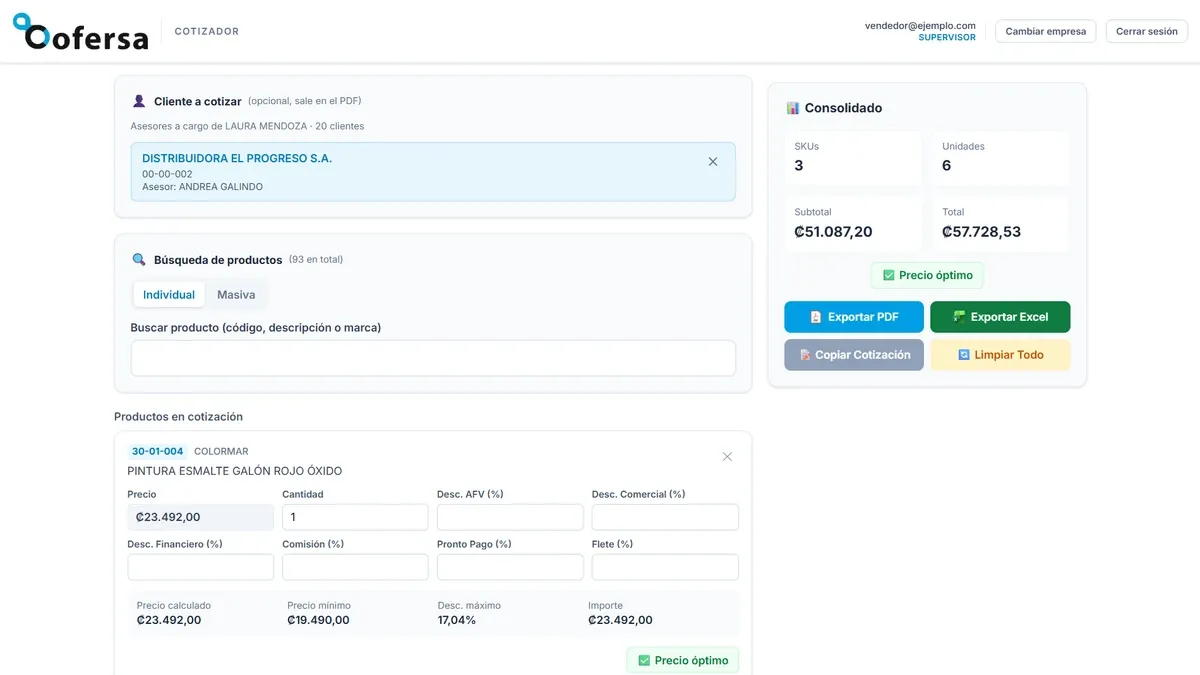
Stack
- Next.js
- TypeScript
- Supabase
- Tailwind CSS
- PostgreSQL
- Google Cloud
- Vercel
Quoting web application for the five companies of the Mayoreo Group — Febeca, Cofersa, Sillaca, Beval and Mundipartes — spread across Venezuela, Costa Rica and Colombia. It started as Febeca’s quoting tool and ended up as a single application for the whole group: each company is a module, with its own catalogue, customers, currency and price lists.
The problem
To quote, salespeople looked prices up in Catálogo de productos, an application that did only that: show an item’s price. Products had to be searched one by one and each price written down somewhere else, because the catalogue did not build any quote. Nor could it apply the negotiated discounts or freight, so the final price was worked out by hand, separately — let alone tell whether that result stayed above the accepted minimum price. And it only showed a single price list.
In practice, building a quote meant doing the maths by hand, and while negotiating the salesperson did not know whether the price they were reaching was acceptable to the company: that came out afterwards, once it had already been offered to the customer.
And each company in the group solved this on its own, with different tools or none at all.
The solution
An application where the quote is built product by product and you know while negotiating whether the price can be accepted, not afterwards.
- Product search by code, description or brand, and bulk loading: paste a list of codes and the application adds the ones it finds and reports which are duplicated, which do not exist and which are ambiguous.
- Several price lists: you choose which one to quote from, and every calculation is redone on it.
- Each product is a card with its list price and the negotiation fields: five cascading discounts — AFV, commercial, financial, commission and early payment — plus freight. Below, the result: the calculated price next to the item’s minimum price and the maximum discount it allows, and the line amount.
- A pinned summary on one side, with units, subtotal and total with tax, recalculated on every change.
- Export to PDF, Excel or text, the last one to paste straight into WhatsApp or an email. The PDF is addressed to the customer if one is picked.
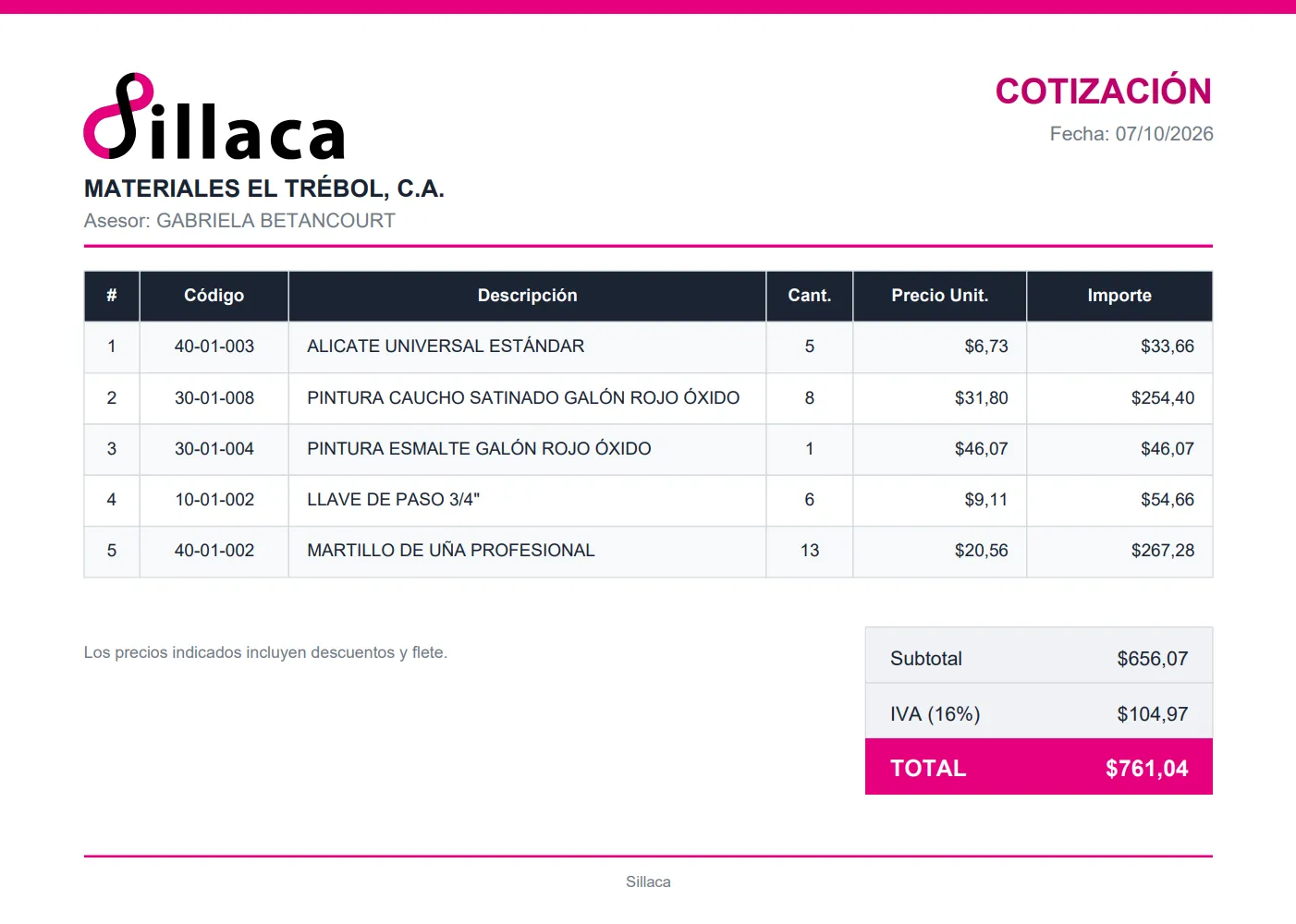
The PDF, with sample data. It carries the quoting company’s brand and only what concerns the customer: prices already negotiated, with no costs or internal discounts.
The traffic light answers what matters in a negotiation: whether it can be sold at that price. Each item brings its minimum price from the catalogue, and the card places it next to the calculated price, the figure it constrains. The summary is judged on the whole package, so a comfortable item can make up for a tighter one — that is how deals are negotiated — while each card still flags its own floor in red. Trying to export a quote below the acceptable level asks for confirmation first.
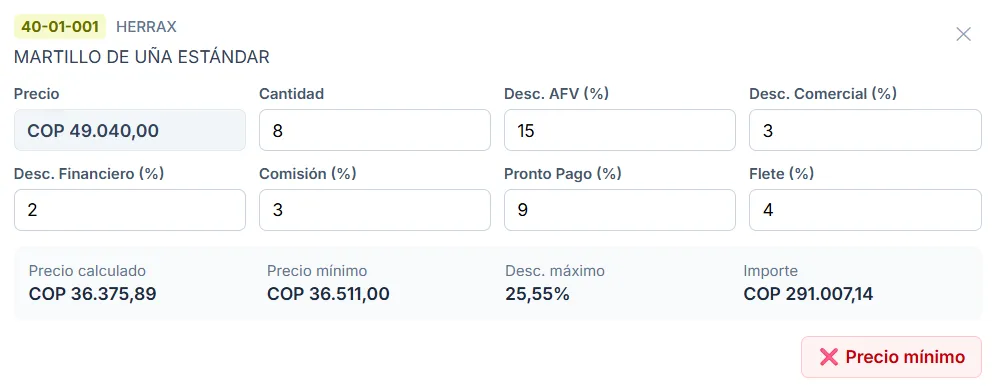
A line in Colombian pesos. With the discounts applied, the calculated price lands just below the minimum, and the traffic light flags it in red before it reaches the customer.
Each role sees what it needs to decide. Supervisors negotiate only in terms of minimum price and maximum discount, which is what the company wants discussed with the customer. Managers also see cost, profit and margin, as does the administrator. The role also sets which customers are available: a supervisor only finds their own reps’ customers, and a manager, the whole company’s.
Each company is data, not a separate build. Currency, tax, price lists, colours, logo and PDF letterhead live in a company registry, and all five read their catalogue in the same format. Adding a company means adding an entry to that registry; the rest of the application adapts on its own. It formats US dollars, Costa Rican colones and Colombian pesos, and each module wears its own company’s colours.
Roles are per company, not per user. The same person can be a manager in one company, a supervisor in another and have no access to a third. That is why you sign in first — with Google, limited to the group companies’ accounts — and then pick the company, among the ones that person is entitled to. Switching companies does not require signing out: each one is a module of the same application, and moving between them takes a click.
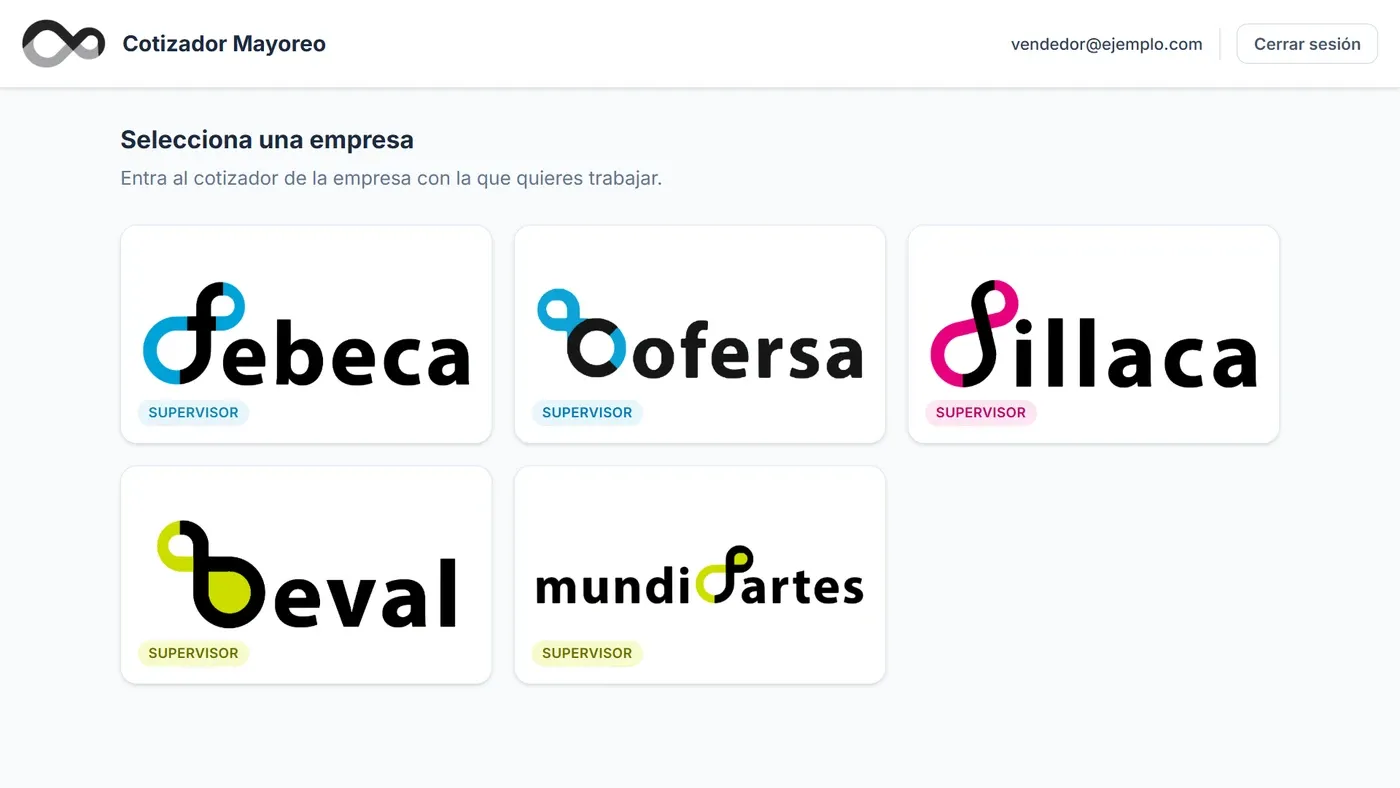
After signing in, every company the user can access, with their role in it. From any module you come back here without signing out.
My role
I was the sole developer of the quoting tool: I designed the interface and handled the frontend, data model, authentication and deployment. The catalogues and customer masters of the five companies come through n8n webhooks set up by someone in the IT department, which return the data from the ERP.
- Frontend: Next.js with static export, TypeScript and Tailwind CSS. Totals are not stored: they are derived from the lines, so they cannot go stale.
- Pricing: a single module that feeds the screen, the summary and the three exports, so the PDF, the Excel file and what the salesperson sees cannot disagree on a price.
- Catalogue: fetched on every load, to quote at current prices, and passed through a filter that drops what cannot be sold — display stands, promotional material, items with zero cost or price — before it pollutes the traffic light.
- Authentication and permissions: Supabase with Google sign-in, set up in Google Cloud and limited to the group’s domains, and per-company memberships with a role in each.
- Exports: PDF branded for each company, Excel and plain text, with the same content in the same order in all three.
- Tests: 128 automated tests on pricing, catalogue and customer mapping, role permissions and the company registry: what, if it broke, would not show at a glance.
Project status
In production since June 2026. It launched with Febeca, and management liked the result so much that it decided to take it to the rest of the group: the other four companies joined one by one, and all five use it daily.
It is an internal tool: it is deployed on the web and its code lives in a GitHub repository, but, for confidentiality reasons, this case does not link to the site or to the code. For the same reason, the screenshots use sample data.