ServiFrescos — Centralized Product & Price Management
Web application that centralizes the management of products, prices, users and stores for Protinal Proagro, eliminating the discrepancies between each store's local database and headquarters.
Stack
- React
- TypeScript
- Django REST Framework
- Docker
- SQL Server
- CSS
- Figma
ServiFrescos is a web application built as an internship and thesis project for Protinal Proagro, C.A., designed to centralize the management of products and their prices across the company’s retail stores.
The problem
Each of the eleven retail stores operated with its own local database to manage products and prices, and no system carried changes between them. Management announced each adjustment over WhatsApp or email to every store’s manager, who keyed it into the local point-of-sale terminal by hand. From the message going out to the change being applied, a full day passed on average.
Eleven manual transcriptions are eleven chances for the figure to arrive different, and that is where the frequent discrepancies between the stores and headquarters came from.
The solution
A web application that centralizes management into a central database, administered from a friendly interface. There are five modules: products, prices, categories (brands, types and the department → group → subgroup hierarchy), stores and users.
The central database does not replace each store’s local one: it connects to them and replicates the changes made from the application, so the stores stop diverging from headquarters without having to tear out what already worked. Replication is not instant, nor does it try to be: the stores poll for changes over HTTP at a configurable interval —it can be a minute, or a second— and an hour was enough for the company, against the day the chain of messages took. Since prices are loaded ahead of time, what matters is that a change arrives before its effective date, not that it arrives the moment it is made.
Key features:
- Scheduled prices: when creating a price, you set the date and time from which it takes effect, so an adjustment can be loaded days in advance and come into force at the same hour across all eleven stores, rather than whenever each manager gets to it.
- Permissions per module and per store: each user is granted read and manage rights module by module, and is also assigned the stores they can reach — which in practice decides whose prices they get to see or touch.
- No deletion from the interface. A company requirement: managing means creating and updating, never deleting. A record can only be removed by the database administrator from outside the application, and only when strictly necessary.
- Export to Excel: any listing exports exactly as displayed, with the search filters already applied.
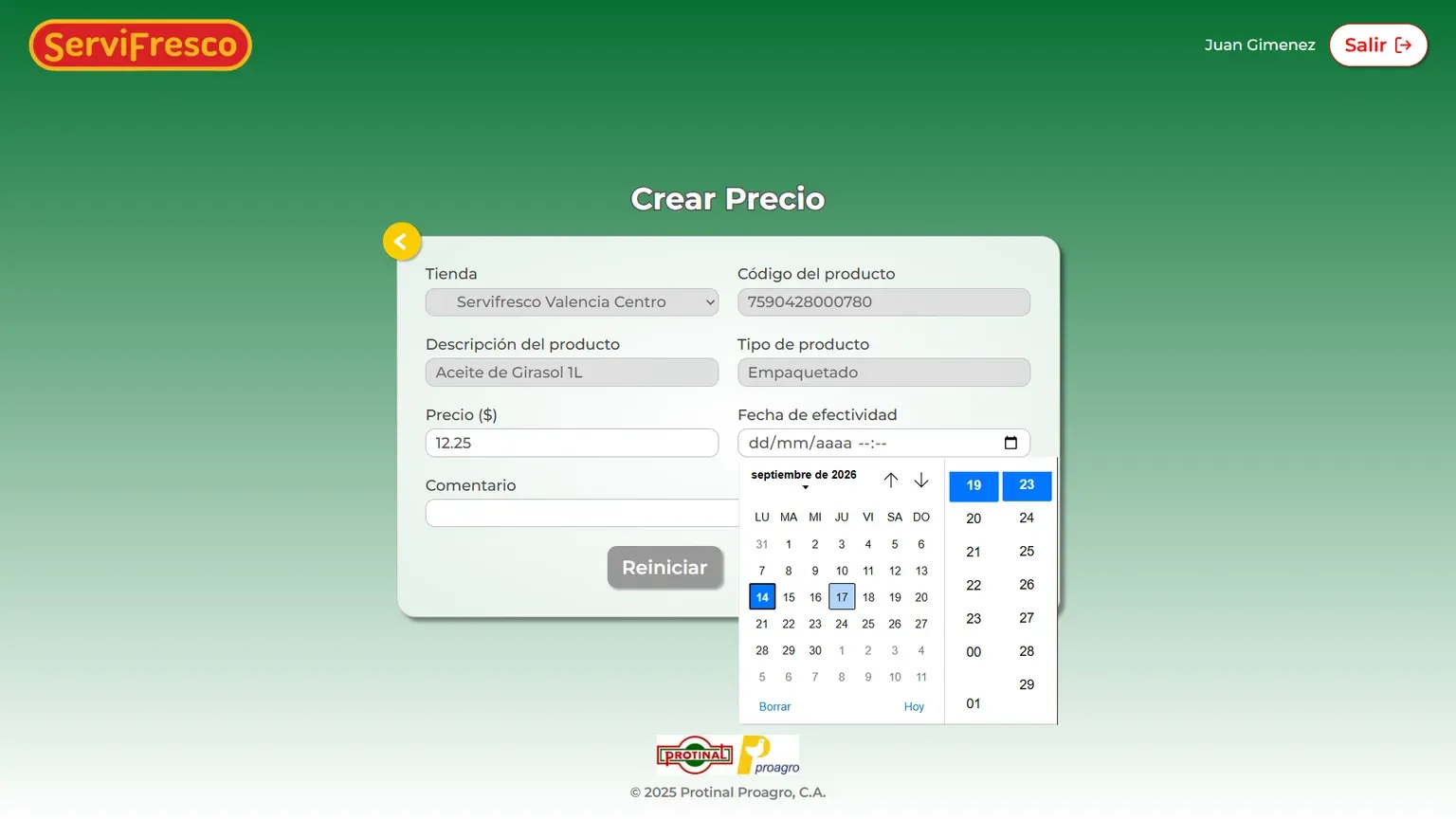
A new price does not replace the old one: it is scheduled. Until its effective date arrives, the one in force is still the previous one.
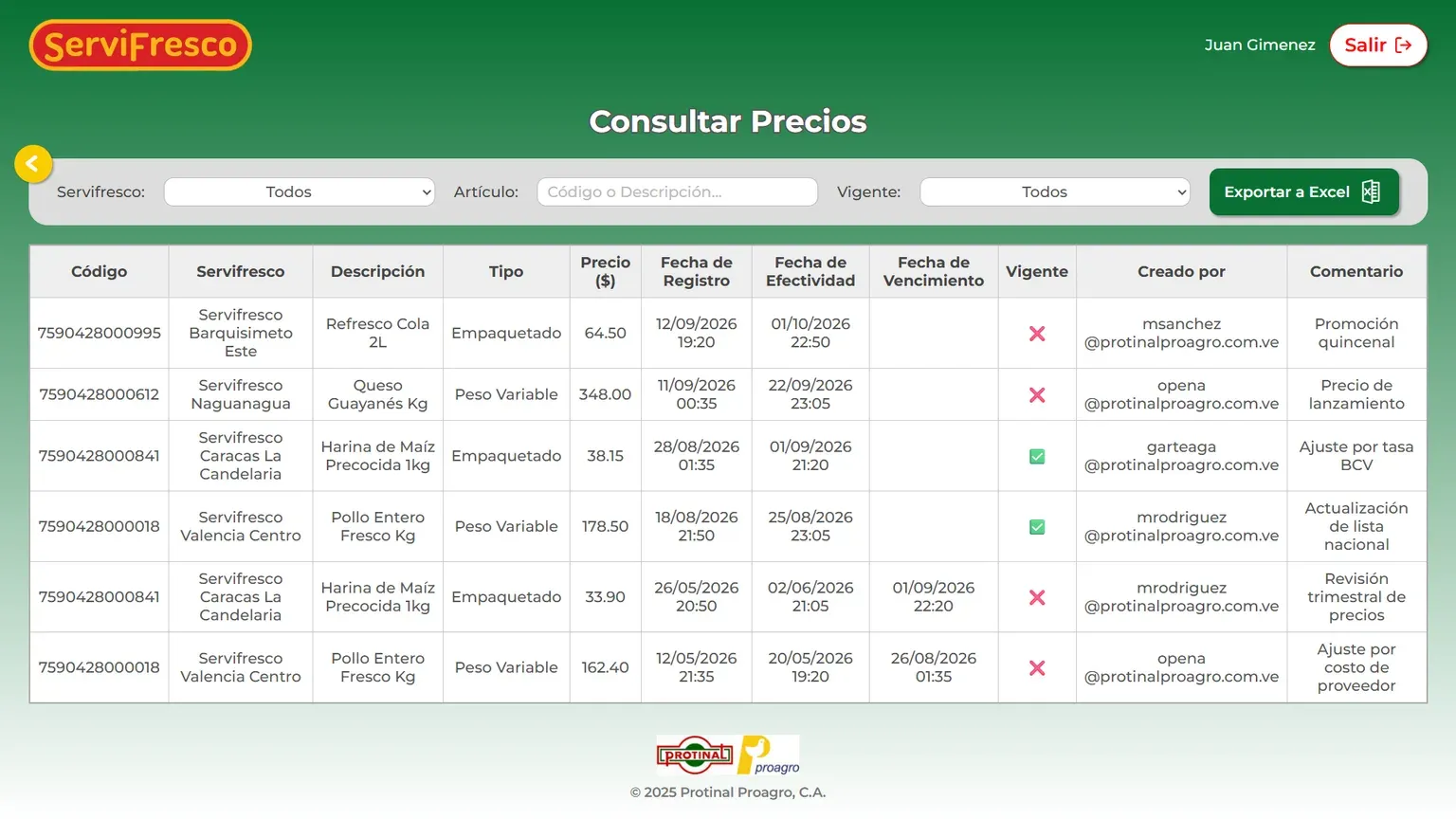
The listing shows the price in force alongside those waiting their turn, and every record keeps who created it and why — the trail the old process, spread across eleven databases, left nowhere.
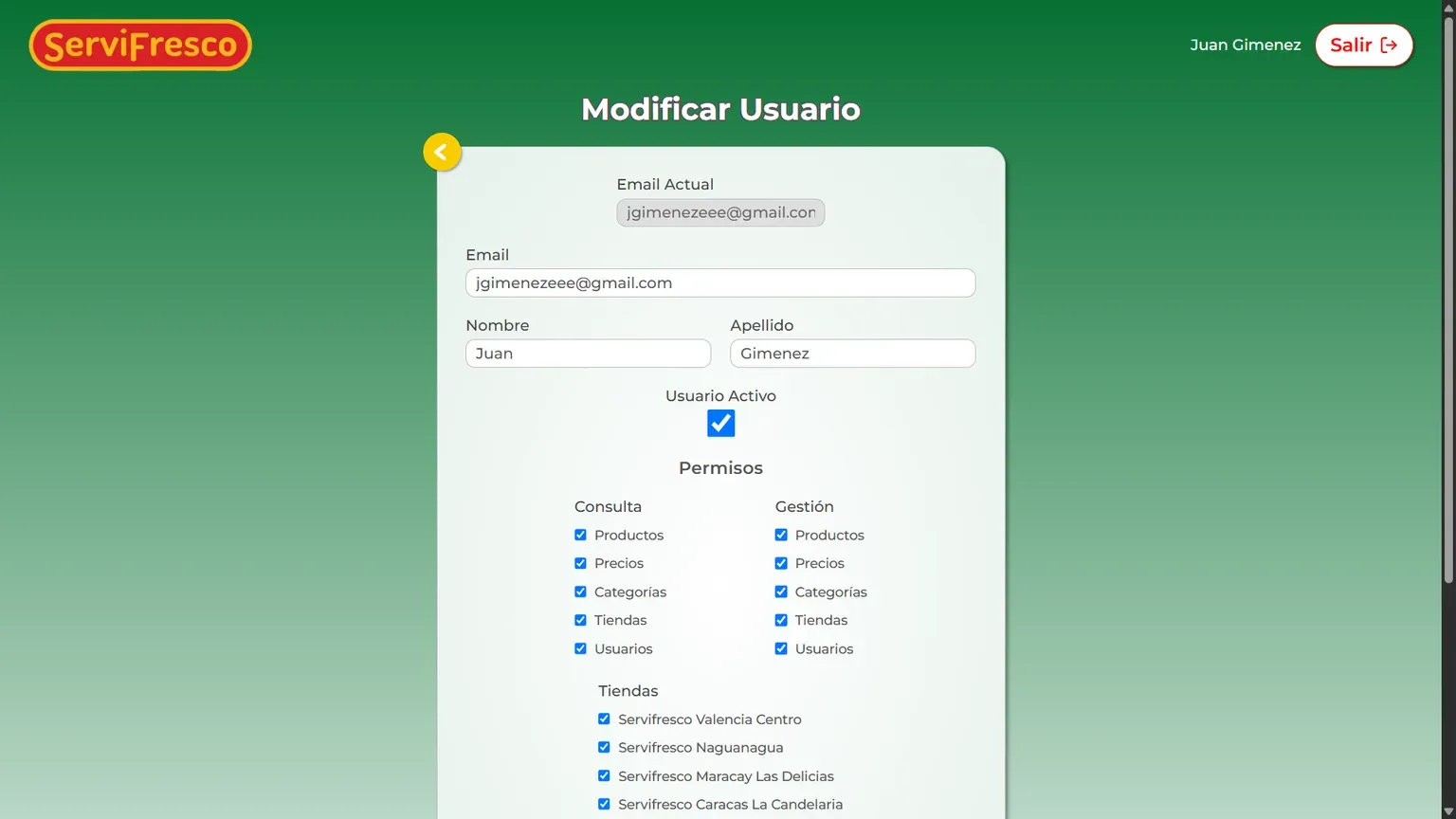
Read and manage are granted module by module; the assigned stores bound which prices each user can act on.
My role
I was the project’s only developer from start to finish, working alone and full stack: I designed the interface and built the frontend, the backend and the centralized database.
- Design (UI): interface prototyping in Figma.
- Frontend: React, TypeScript and CSS.
- Backend: REST API with Django REST Framework.
- Database: centralized SQL Server, twelve tables of its own. The prices table is the crossing point of the model — product × store × effective date, with that triple as its unique key — which is what lets each store hold its own price and, at the same time, lets a product stack up future prices without overwriting the one in force.
- Environment: the whole application — frontend, backend and database —
containerized with Docker Compose, so
docker compose up -dbrings the entire system up.
Project status
Development reached an advanced, functional state, covering the application’s full cycle. Deployment and rollout to the stores fell outside the internship period, so the project was not deployed to a real environment.