Pickup Orders — Tracking Orders Awaiting Collection
Internal web application for Febeca to record the orders customers collect in person and track, order by order, how much time is left before each one expires.
Stack
- Next.js
- TypeScript
- Supabase
- PostgreSQL
- Tailwind CSS
- Netlify
Internal web application at Febeca for tracking the orders customers come to pick up in person. It lives inside the sales supervisor portal and shares its users and sign-in, but it is a different application: the portal shows data that comes from elsewhere, and this one creates it.
The problem
Pickup orders are the ones the customer collects in person instead of having them delivered, as most are. Once invoiced, the customer has three business days to pick the order up.
Before, there was no tracking at all. Orders were invoiced, and neither the sales rep nor the supervisor had any way of knowing which ones were waiting to be collected, for which customers, or how much time they had left. The closest thing to a control was a Google Drive sheet kept by hand by one of the sales administrators, built from the invoices sent over by email by the person in charge of pickup orders.
In practice there was no follow-up, and supervisors did not look at that part of the business: nobody found out an order had expired until it already had.
The solution
A single list of pending orders, shared by everyone who has something to do with it. Two screens:
- Registration — the person in charge or the sales administration team enters each order: invoice date, invoice number, customer and amount, with a note if needed.
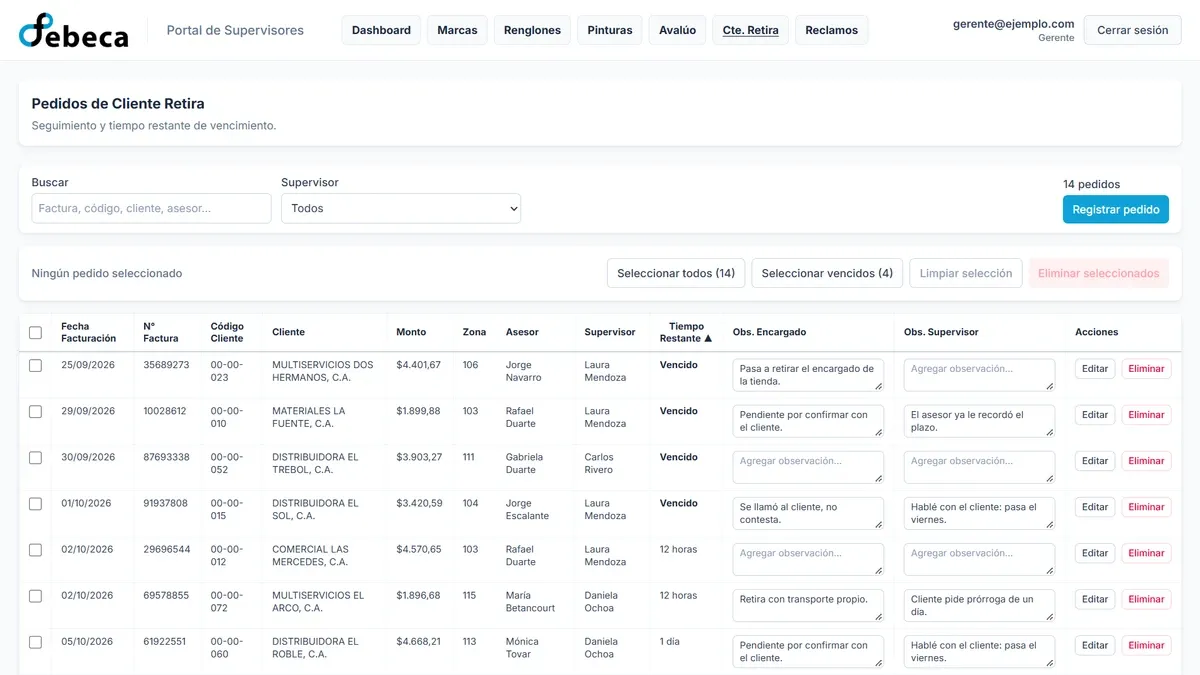
- Tracking — the pending orders, each with its customer, sales rep, supervisor, notes and the time it has left. It can be searched by invoice, customer or rep, and filtered by supervisor.
Time remaining is what the screen is for. It is counted in business days — weekends do not use up the deadline — and it changes unit as the deadline approaches: days while more than one is left, hours on the last day and minutes in the last hour. The list is sorted by that and nothing else: expired orders first, the most overdue at the top.
Two notes per order, one from each side. The person in charge writes what they know about the pickup — the customer called ahead, they are bringing their own transport — and the supervisor writes what they did about it with the customer. Each writes in their own and reads the other’s, so the conversation about an order stays attached to the order instead of scattered across chats and phone calls.
The customer is picked, not typed. When registering, you type part of the code or the business name and a list of matches appears; the customer is only selected by tapping it, and its card takes the field’s place, showing the zone, the rep and the supervisor. A mistyped code cannot slip through, because a customer the user never saw with its name beside it is never taken as valid.
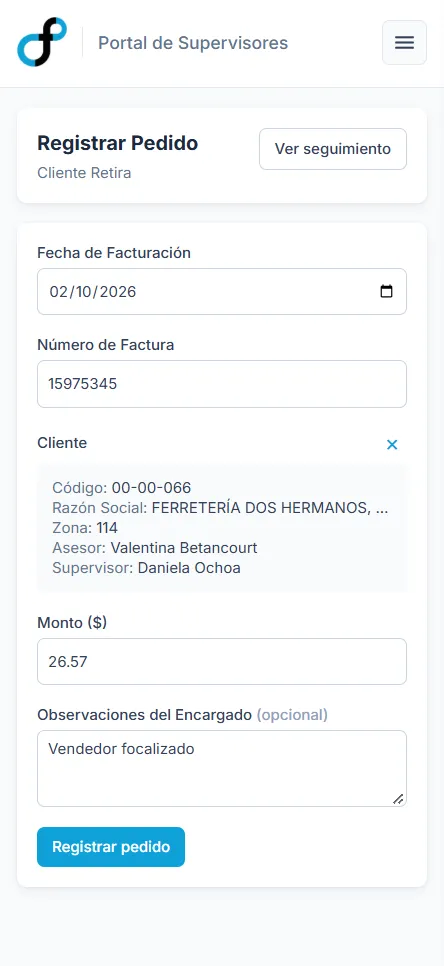
Registration, with sample data. Once the customer is picked, the search field gives way to its card: whoever registers checks the zone, the rep and the supervisor before saving.
My role
I was the sole developer of the application: I designed the interface and handled the frontend, data model, permissions and deployment.
- Frontend: Next.js, TypeScript and Tailwind CSS. On the desktop the tracking view is a table; on the phone, one card per order, with the time remaining as its first line. The countdown updates on its own while the screen is open.
- Database: PostgreSQL on Supabase, with a customers table and an orders table. Only the person in charge, sales administration and management can register or delete orders, and that rule is enforced by the database itself through row-level security policies, not just by the interface.
- Customer search: a database function that searches regardless of accents and case and returns only the first twenty matches. The customer master has thousands of entries, and downloading all of it for every form would have been the most expensive thing on the screen.
- Deadlines: the business-day calculation and the exact moment an order expires, which is the end of the third business day rather than an office hour.
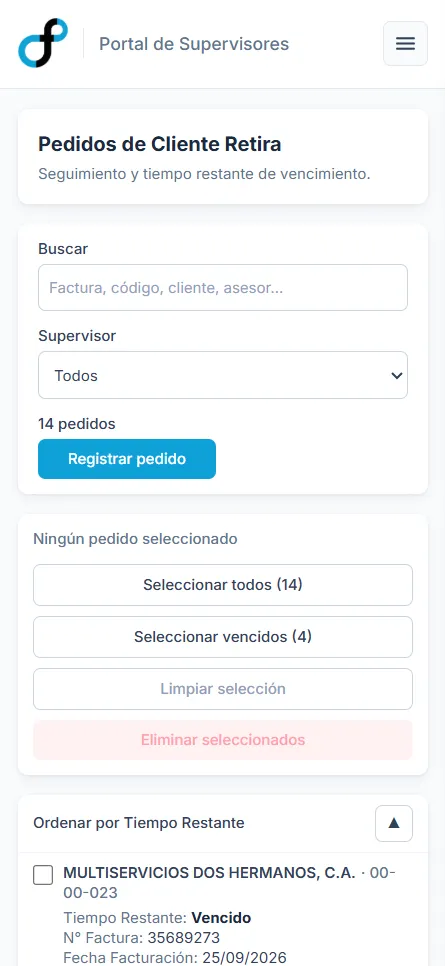
Tracking on the phone. Each order is a card that opens with the time remaining, because it is the first thing to know about it.
Project status
It went into production at the end of May 2026 and is used daily. The person in charge and sales administration register the orders; supervisors and management follow them up.
It is an internal tool: it is deployed on the web and its code lives in a GitHub repository, but, for confidentiality reasons, this case does not link to the site or to the code. For the same reason, the screenshots use sample data.
The change was not in the tool but in the behaviour. With the deadline in view, a supervisor can see which of their customers’ orders are about to expire and warn them before time runs out: the team went from not following up to following up.